How to Protect Your Buckets from Unauthorized Use.
Many of Amazon S3 users recently got an email from Amazon about bucket security settings:
Important Security Notification regarding your Amazon S3 bucket settings We've noticed that your Amazon S3 account has a bucket where your permissions allow anonymous requestors to perform READ operations, enumerating the contents of the bucket. Amazon S3 buckets are private by default. Recently, some tools and scripts have emerged which scan services like Amazon S3 and enumerate objects in publicly listable buckets. These tools could be used to identify objects in your bucket. The use of these tools against your buckets may also produce unintended charges in your account. <..>
This means that some of your buckets are opened for anonymous users so anyone can list content of these buckets.
But luckily this is easy to fix and you don't need to worry. All you need is to edit Bucket's ACL and disable any access for the following groups All Users and Authenticated Users.
To simplify this task even more we have added special tool into the S3 Browser Freeware.
How to Find Unprotected Buckets
Security Scan Tool allows you to find buckets opened for anonymous users and easily fix this.
To find uprotected buckets:
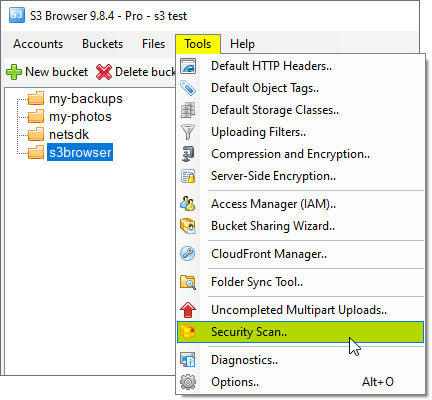
1. Click Tools -> Security Scan..
Click Tools -> Security Scan.. to find and fix bucket security settings.
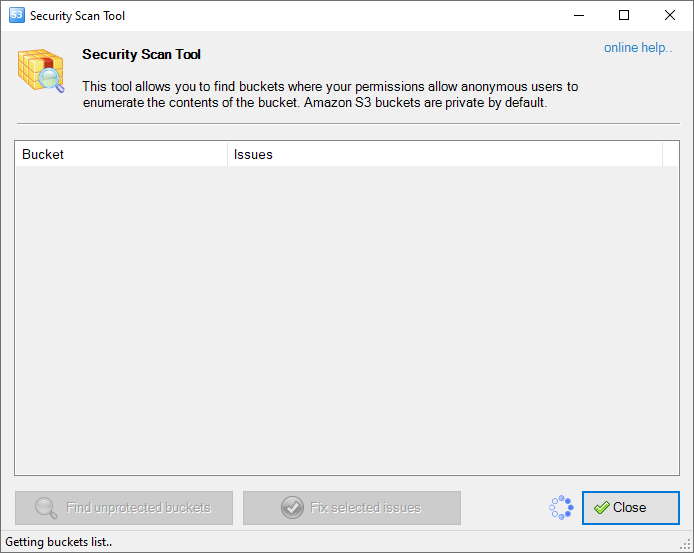
The Security Scan Tool dialog will open:
Security Scan Tool dialog
The scan starts automatically. S3 Browser obtains buckets list and checks security settings for an each bucket. All discovered issues are displayed in the table. The Issues column gives you detailed information about potentially dangerous bucket settings.
To fix discovered issues:
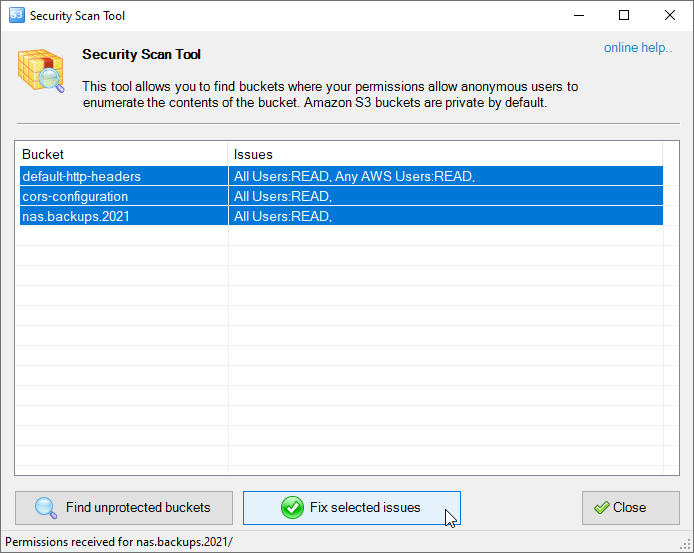
1. Select the buckets you want to fix security settings for and click Fix selected issues
To fix bucket security settings select the buckets and click Fix selected issues
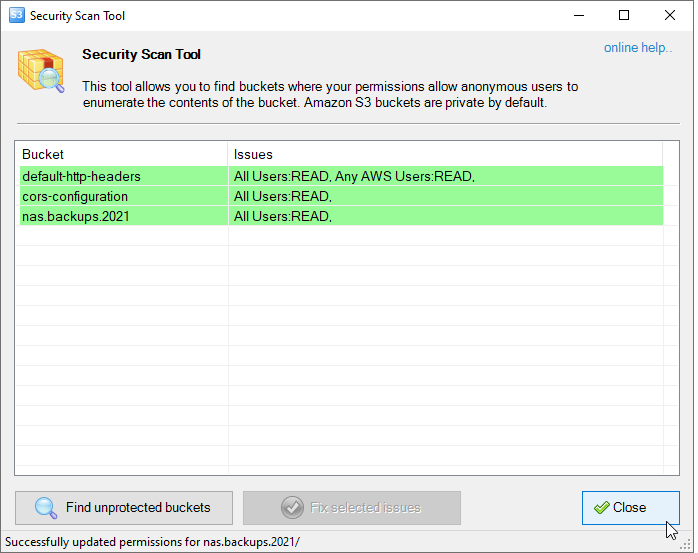
2. S3 Browser will fix discovered issues and mark processed buckets using green color.
S3 Browser will fix discovered issues and mark processed buckets using green color.
"Amazon Web Services", "AWS", "Amazon S3", "Amazon Simple Storage Service", "Amazon CloudFront", "CloudFront", the "Powered by Amazon Web Services" logo are trademarks of Amazon.com, Inc. or its affiliates in the US and/or other countries.